Introduction
Television has traditionally been delivered through methods such as satellite signals, cable networks, and terrestrial broadcasting. However, modern internet technology has introduced another way of accessing television content through IPTV.
But how does IPTV work?
IPTV, which stands for Internet Protocol Television, uses internet networks to deliver television and video content to compatible devices. Instead of receiving signals through traditional broadcast methods, IPTV uses internet technology to transmit digital content.
For beginners, understanding IPTV can seem complicated because it combines television services, internet connections, devices, and applications together.
In this guide, we will explain how IPTV works in simple terms, the role of internet connections and devices, the difference between IPTV and traditional television delivery, and what users should understand before choosing an IPTV service.
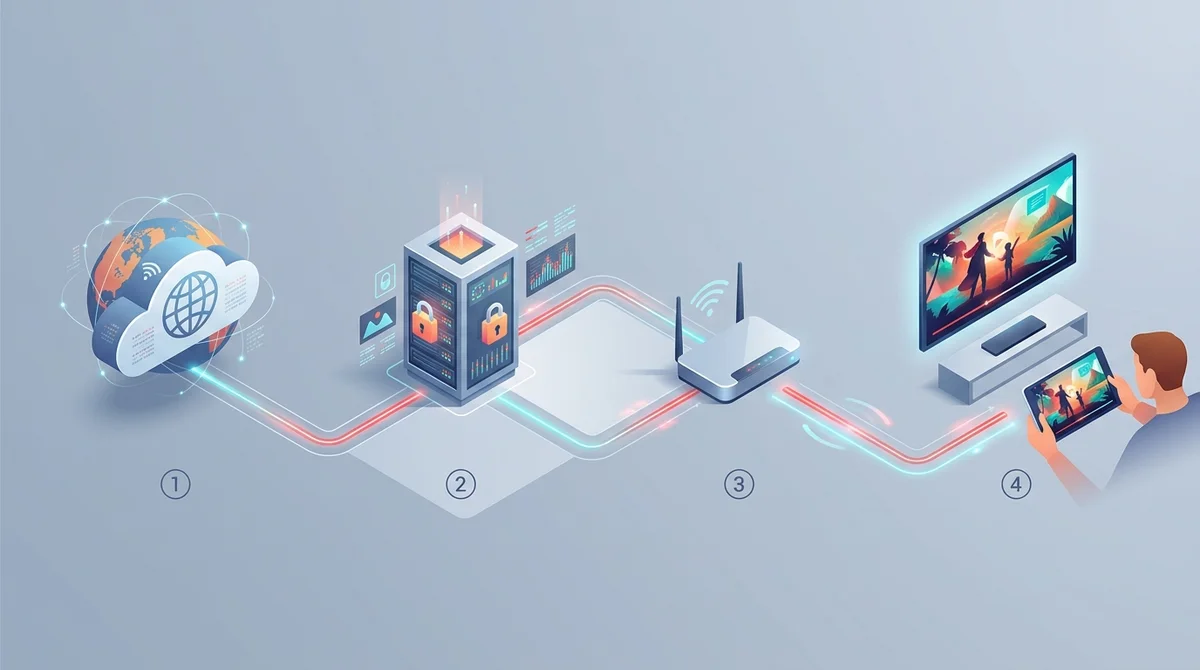
What Is IPTV Technology?
Before understanding how IPTV works, it is important to understand the basic idea behind the technology.
IPTV stands for Internet Protocol Television.
It is a method of delivering television and video content through internet networks instead of traditional broadcasting systems.
Traditional television usually depends on:
- Satellite signals
- Cable connections
- Aerial broadcasting
IPTV uses:
- Internet networks
- Digital data transmission
- Compatible devices
The technology itself is simply a delivery method. If you are brand new to internet television, start with our foundational guide to what is IPTV. The actual content, features, and availability depend on your service provider and internet speed.
Have specific technical questions before getting started? You can reach out directly via our contact our support team page or on WhatsApp anytime.
How Does IPTV Work?
The basic process of IPTV involves several stages.
1Content Is Converted Into Digital Data
Television and video content is converted into digital information that can be transferred through internet networks.
Unlike traditional television signals, IPTV content travels through internet infrastructure.
2Content Is Delivered Through Internet Networks
Once content is prepared digitally, it can be delivered through internet connections.
This allows users to access television content through internet-connected devices instead of relying only on traditional broadcast equipment.
3User Connects Through A Compatible Device
The viewer accesses IPTV through a compatible device. Examples include:
- Smart TVs
- Streaming devices
- Smartphones
- Tablets
- Computers
The device receives the information through the internet connection and displays the content.
For a complete list of supported screens, please check compatible devices across all popular operating systems.
4IPTV Player Or Application Displays Content
Many devices require suitable software or an IPTV player to display IPTV content. The application acts as the interface between the service and the user’s device.
The exact setup method can vary depending on:
- • Device type
- • Software requirements
- • Provider instructions
For detailed step-by-step instructions, read the setup guide for your device.
IPTV Delivery Process Explained
A simple way to understand IPTV is:
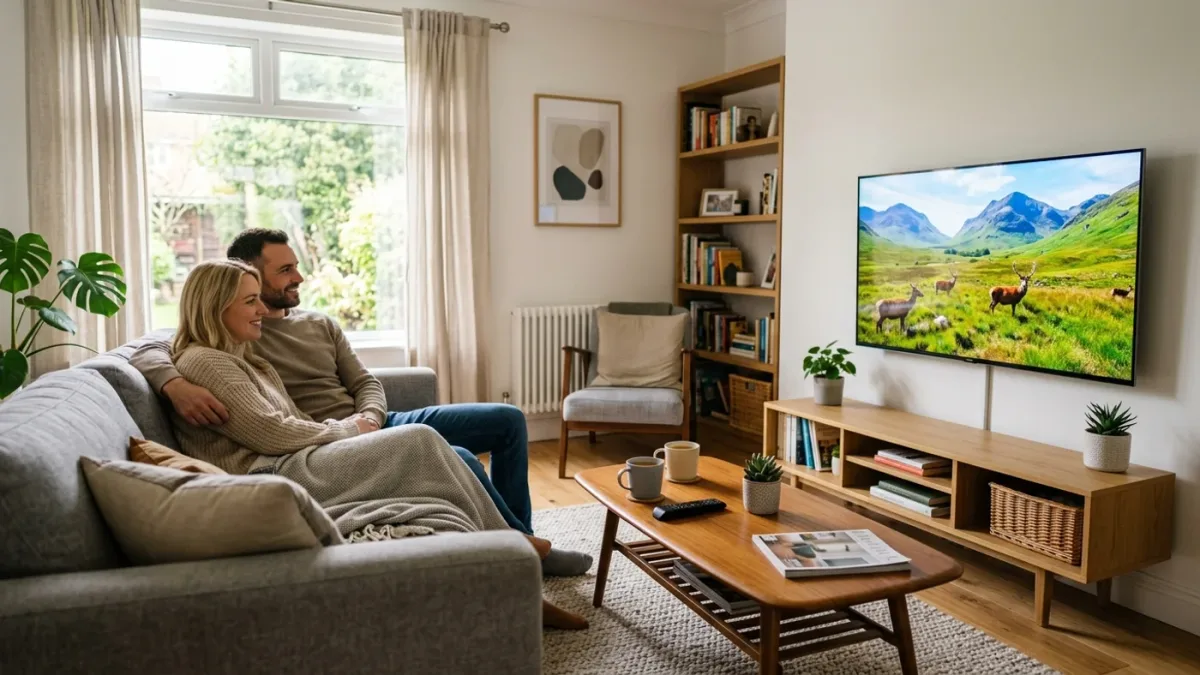
Each part plays an important role.
If one part has an issue, users may experience problems such as loading delays, connection problems, or playback interruptions.
What Role Does Internet Play In IPTV?
The internet is one of the main components of IPTV technology.
Unlike traditional television, which receives signals through broadcast methods, IPTV relies on internet connectivity to transfer data.
The experience can depend on factors such as:
- • Connection stability
- • Network performance
- • Device capability
- • Local network conditions
This is why users experiencing IPTV problems often check their internet connection first.
IPTV vs Traditional Television Delivery
IPTV and traditional television both allow users to watch video content, but the underlying delivery method is fundamentally different. For a complete comparison of broadcast infrastructure and digital IP streaming, read our guide on IPTV vs traditional TV.
| Feature | Traditional TV | IPTV |
|---|---|---|
| Delivery method | Satellite, cable, or aerial signals | Internet connection |
| Technology | Broadcast transmission | Internet Protocol technology |
| Equipment | Traditional TV equipment | Internet-connected device |
| Flexibility | Usually linked to broadcast setup | Can work across multiple device categories |
| Connection type | Broadcast signal | Internet network |
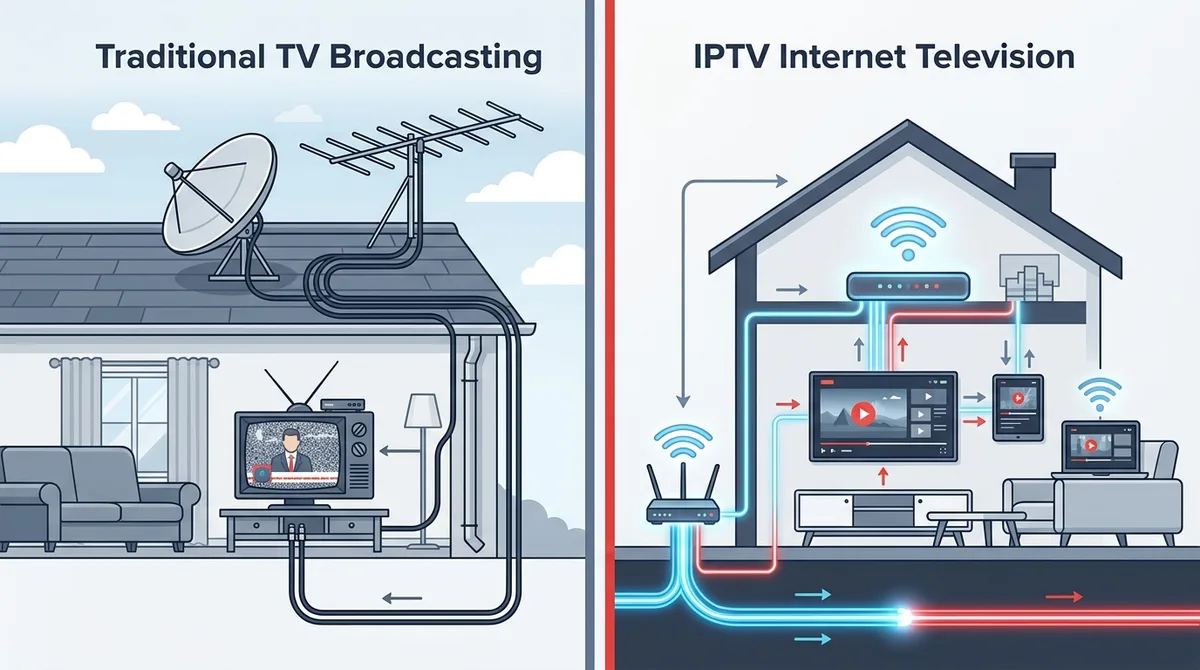
The most suitable option depends on personal preferences, available equipment, and viewing requirements.
Does IPTV Need A Satellite Dish?
No.
One of the main differences between IPTV and traditional satellite television is the delivery method.
IPTV uses internet networks instead of satellite signals.
However, users still need:
- • A suitable internet connection
- • A compatible device
- • Correct setup information
The exact requirements depend on the IPTV service and device being used.
What Devices Can IPTV Work On?
IPTV can work across different categories of internet-connected devices. Common examples include:
Smart TVs
Smart TVs can provide a convenient way to access IPTV services when supported.
Streaming Devices
Streaming devices can connect a television to internet-based services.
Smartphones And Tablets
Mobile devices allow users to access IPTV services away from traditional television setups.
Computers
Computers and laptops may also support IPTV through suitable software options.
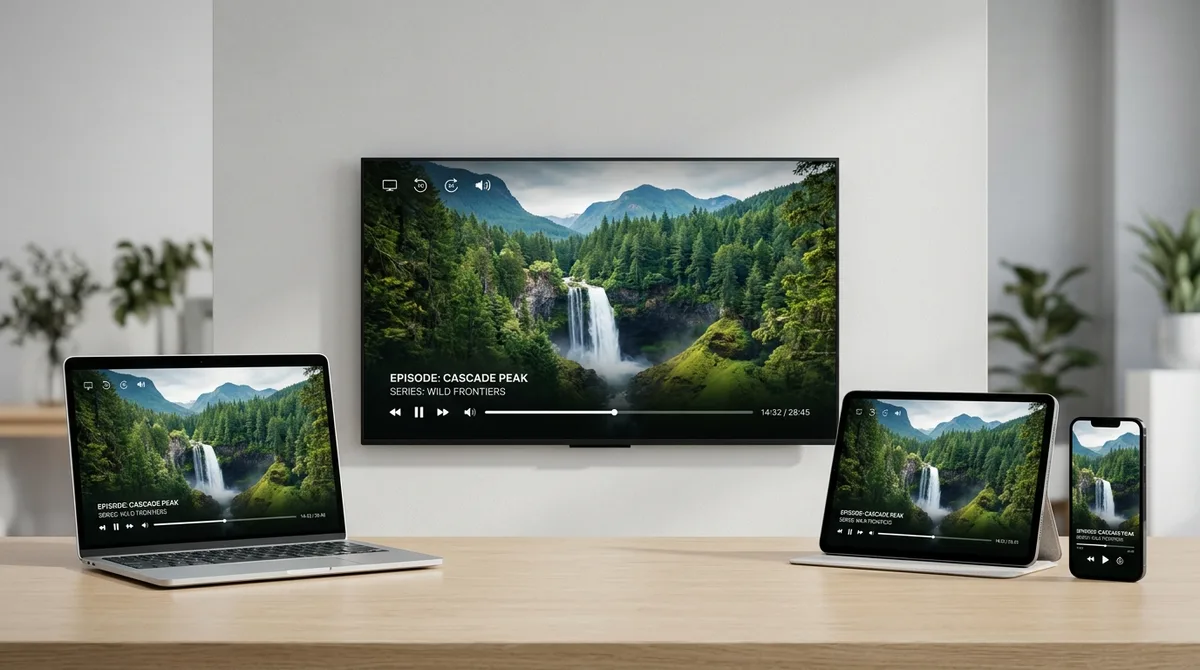
Each platform uses tailored streaming protocols and apps optimized for its operating system and hardware decoder.
What Is An IPTV Player?
An IPTV player is software that allows users to view IPTV content on a compatible device.
The player works as an interface that displays content received through the IPTV service.
Different devices may require different player solutions.
Users should always follow the setup guidance provided for their specific device.
Common IPTV Problems Related To How It Works
Because IPTV depends on several components working together, problems can sometimes occur. Common issues include:
Connection Problems
Internet interruptions can affect access and playback.
Device Issues
A device may have compatibility or performance problems.
Application Problems
An IPTV player or application may not function correctly.
Setup Issues
Incorrect setup information can prevent proper access.
How To Choose An IPTV Service
Understanding how IPTV works is useful before choosing any service. Users should consider:
Clear Information
A provider should clearly explain:
- • Available plans
- • Service details
- • Support options
Device Compatibility
Users should check whether their preferred device can support the required setup.
Customer Support
Helpful support can make setup and troubleshooting easier.
Transparent Service Details
Users should understand what they are choosing before subscribing.
Frequently Asked Questions
Common questions regarding how IPTV works and internet streaming
How does IPTV work?
What does IPTV stand for?
Does IPTV use the internet?
Do I need a satellite dish for IPTV?
Can IPTV work on Smart TV?
What is an IPTV player?
Is IPTV the same as traditional TV?
How Sky Glass IPTV UK Helps Users Get Started
Understanding IPTV technology is the first step.
Sky Glass IPTV UK provides:
- • Free trial option
- • Subscription plans
- • Setup guidance
- • Device support information
Independent Service Disclaimer
Sky Glass IPTV UK is an independent service and is not affiliated with, endorsed by or sponsored by Sky. Sky and Sky Glass are trademarks of their respective owners.
Conclusion
IPTV works by using internet technology to deliver television and video content to compatible devices.
Unlike traditional broadcasting methods, IPTV uses internet networks, allowing users to access content through connected devices.
Understanding how IPTV works helps beginners make better decisions about devices, setup requirements, and choosing a suitable service.
Related Articles
What Is IPTV? A Complete Beginner's Guide
Learn what IPTV means, how internet protocol television works, how it compares with traditional TV, and what devices are needed to start streaming.
IPTV Not Working? Common Problems & Troubleshooting Guide
When IPTV is not working or buffering, simple checks can help. Learn common connection issues, device restarts, player fixes, and when to contact support.
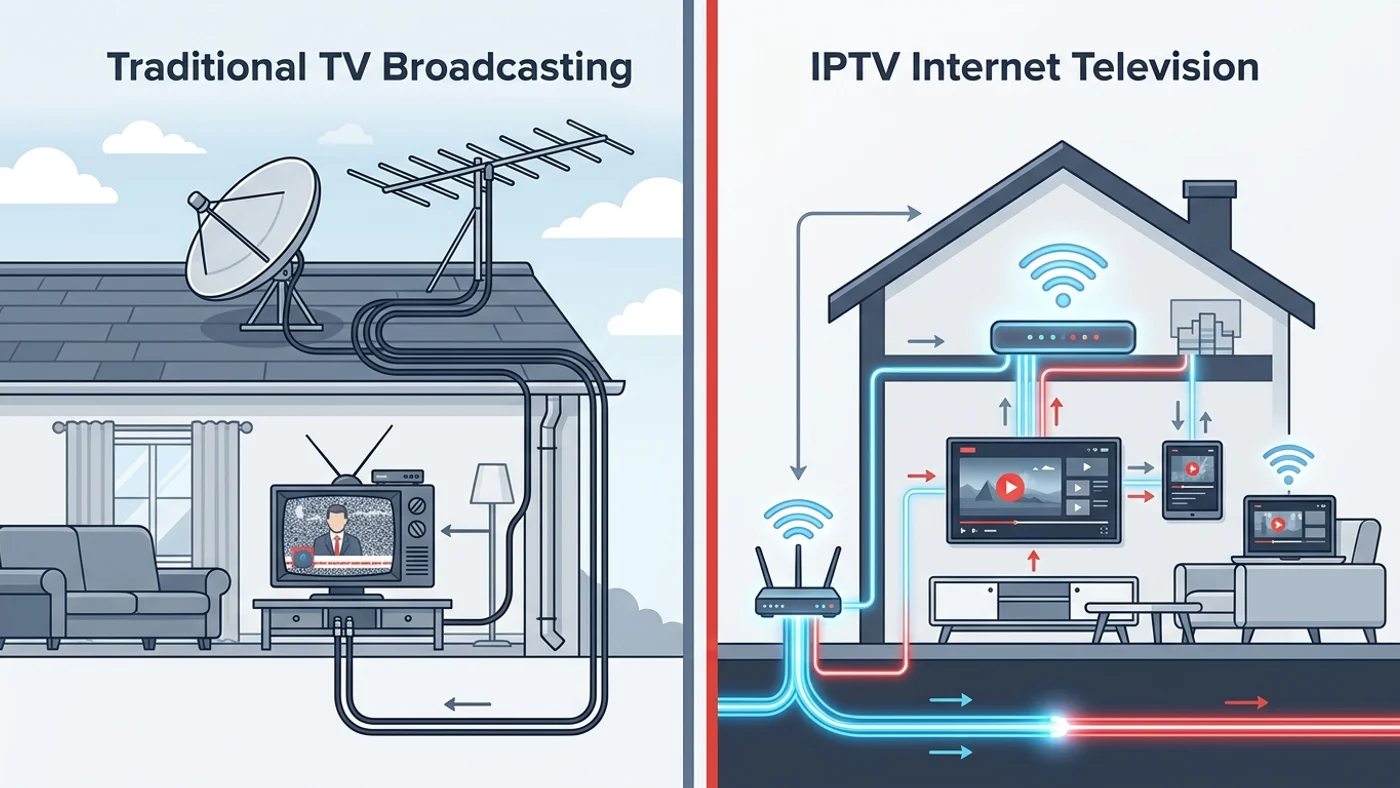
IPTV vs Traditional TV: What's The Difference?
Discover the difference between IPTV and traditional TV. Learn how both work, compare features, requirements, and what to consider before choosing.
Get a 24-Hour Free Trial
Experience 35,000+ live channels and 4K sports with instant activation directly on WhatsApp.